01 / Dashboard
The screen your school opens first.
Enrollment count, class count, recent activity, and a get-started checklist for new schools. Built to be usable on a phone in a corridor.
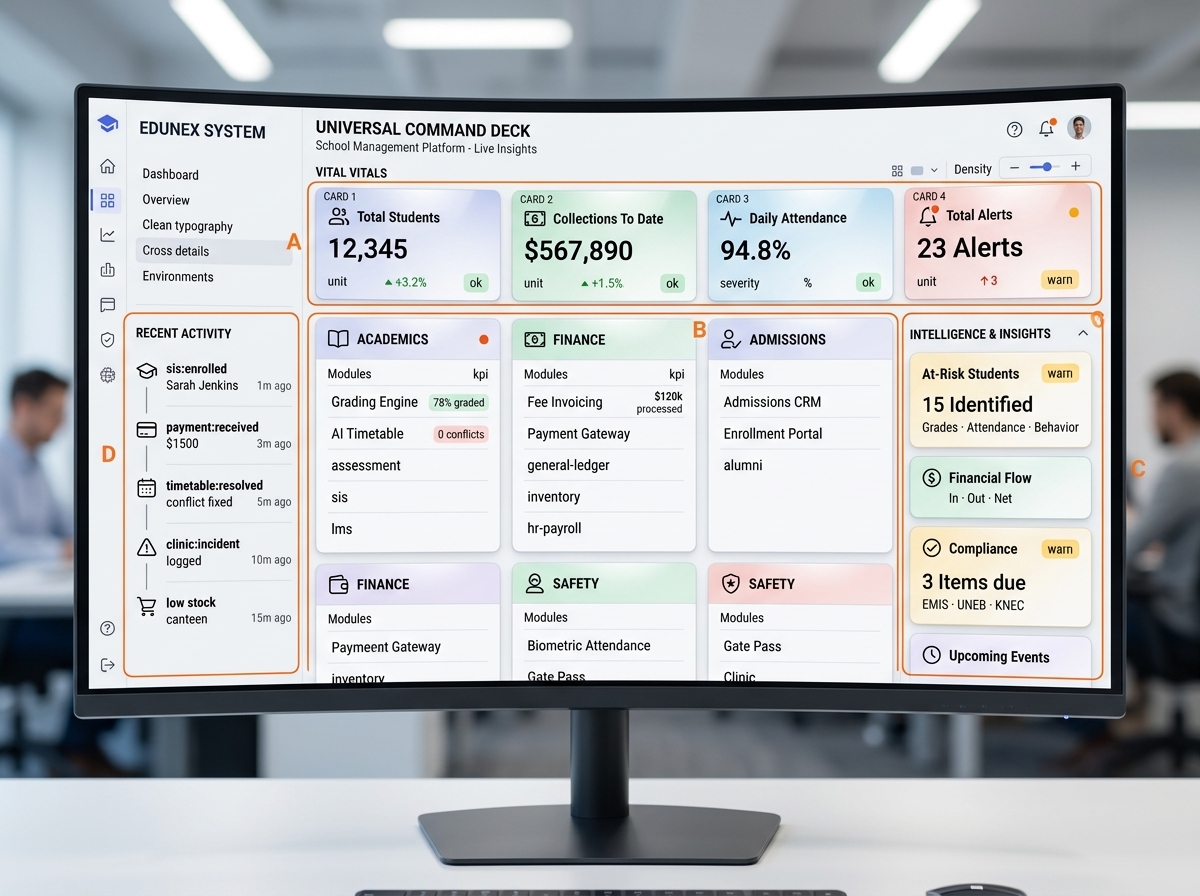
A guided walkthrough of the parts of EduNex most schools use every day.
Enrollment count, class count, recent activity, and a get-started checklist for new schools. Built to be usable on a phone in a corridor.
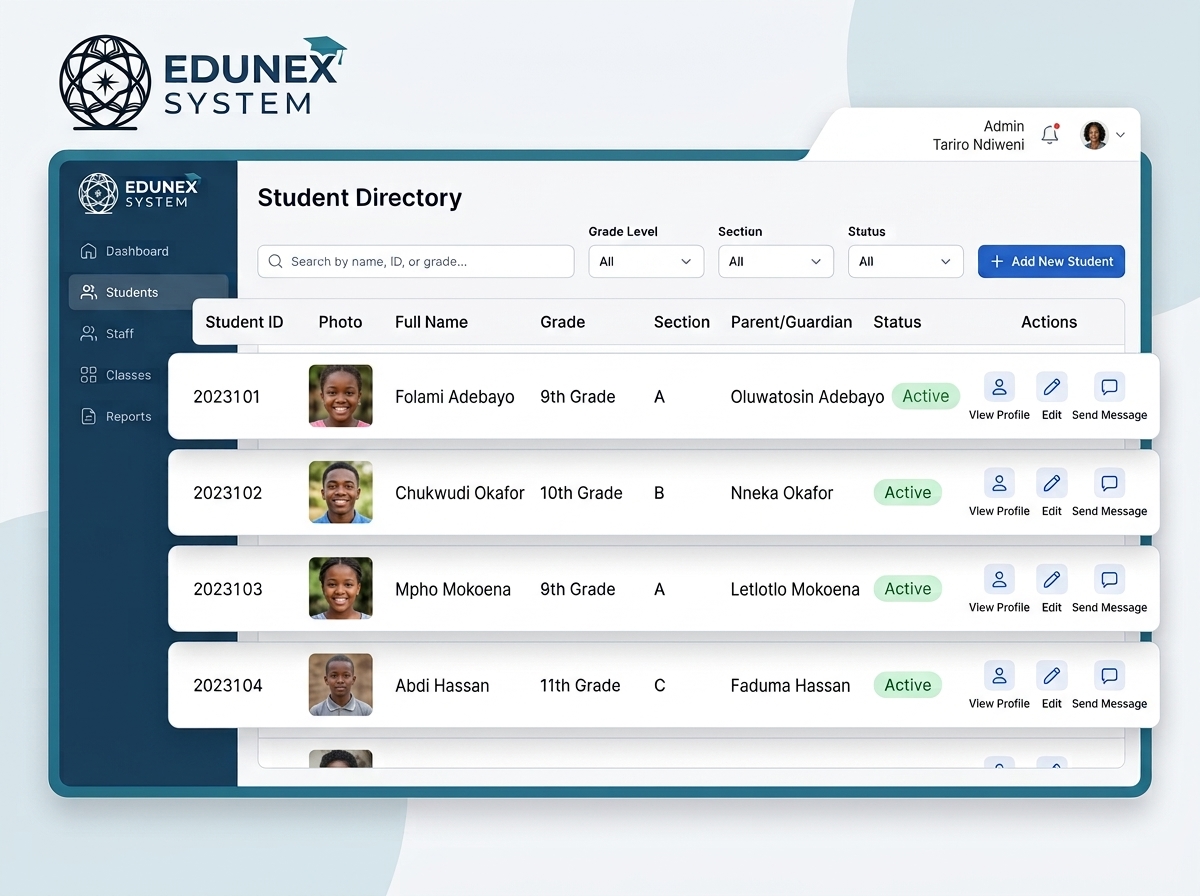
Photos, guardians, class, admission number, and history. Searchable, filterable, and fast even with thousands of records.
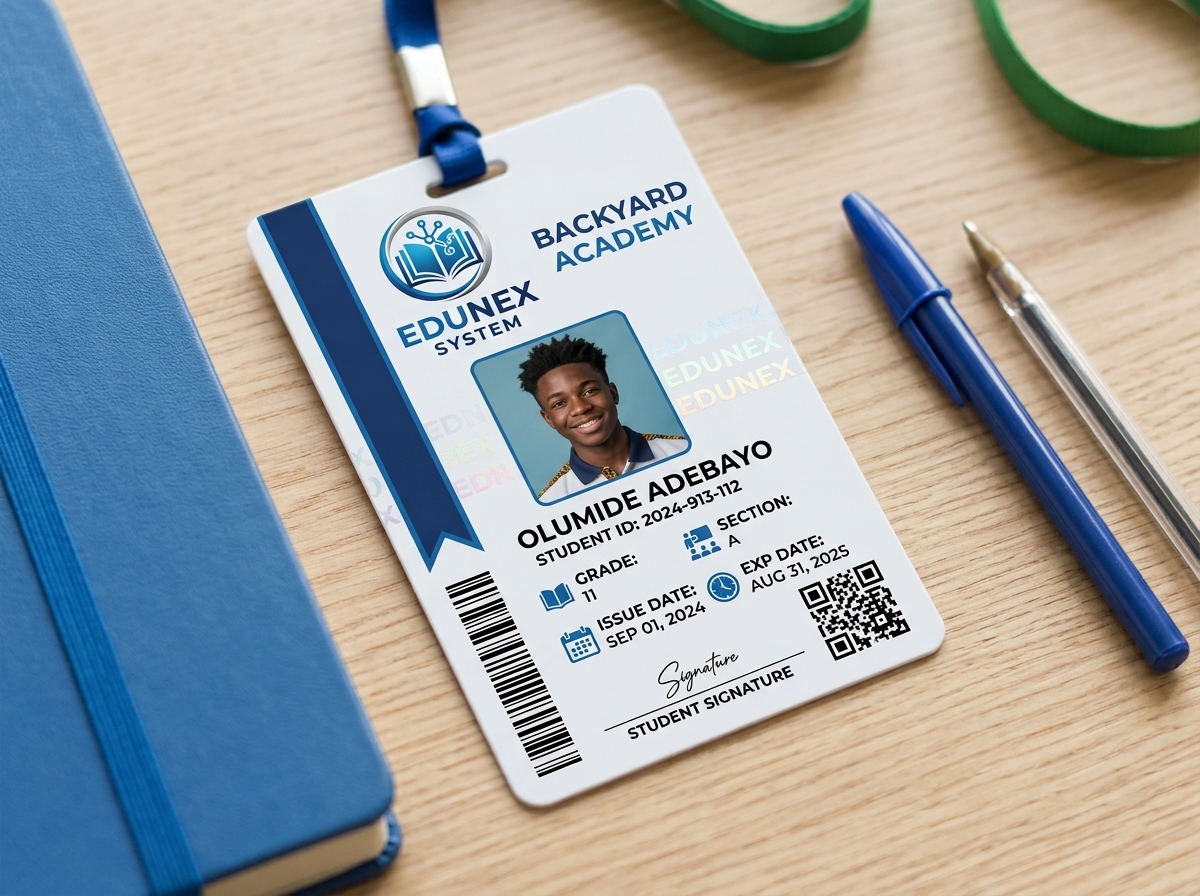
Every student gets a scannable card with a QR code that resolves to a public verification page. Print a whole class on A4 in one click.
Map columns, preview rows, and import a whole school in minutes. Duplicate admission numbers are caught before they land.
Watch, phone, tablet, laptop, wall. Same product. No install. No app store. Runs in the browser your school already has.